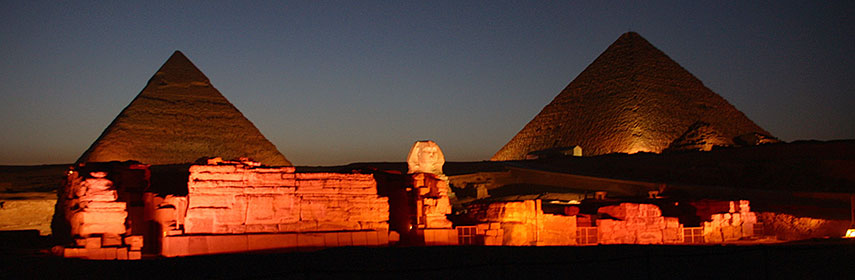
About the Giza Necropolis (اهرامات الجيزه)
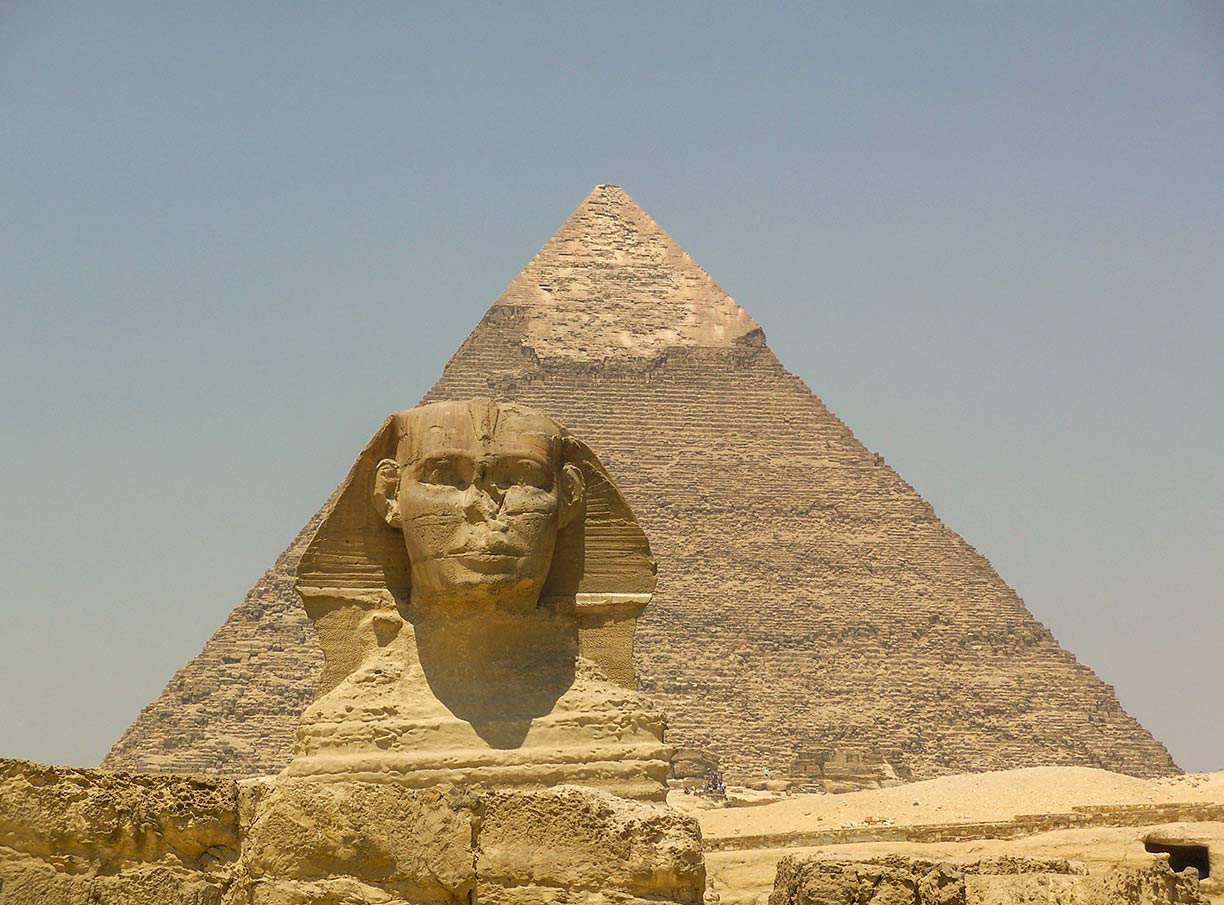 Pyramid of Khafra (Chephren) and the Great Sphinx.
Image: Than217
Pyramid of Khafra (Chephren) and the Great Sphinx.
Image: Than217
A satellite view of the Pyramid fields of Giza in Egypt. The ancient Egyptian complex resides on a plateau west of Giza. Giza is Egypt's third-largest city, situated on the west bank of the Nile river. The city melts into Cairo, Egypt's modern capital and by far the nation's largest city.
25 km (16 mi) to the northeast of the pyramid fields was the ancient city of Heliopolis (Greek: Sun City), known to locals as Iunu, a sanctuary of the Egyptian sun god Ra or Atum, the first god and creator who created himself. In times of the Old Kingdom, the place was known as the House of Ra.
20 km to the south of the pyramids at the southern end of the Nile Delta lied Memphis, an urban center at the crossroads of important trade routes. The ancient city was the administrative hub of the Old Kingdom of Egypt. Pharao Menes founded the city in 3000 BC as the capital of a politically unified Egypt.
Located around Memphis, there are several extensive funerary sites. The royal burial grounds and pyramid fields of Giza, Saqqara, Abu Sir, Abu Ruwaysh, and Dahshur consist of many prominent monuments and a multitude of still buried structures. The Egyptian pyramids and other burial places like tombs or mastabas have been constructed to house the remains of deceased Pharaohs, their wives, chief priests, and influential courtiers. There are more than nine thousand rock-cut tombs from different historical periods, ranging from the First to the Thirtieth Dynasty, an indication of a serious funerary cult in ancient Egypt.
[1]
During the period of pyramid building, the ancient Egyptian rulers created funerary places in a kind of standard sets. The set generally consisted of a pyramid, a pyramid temple, a causeway, and a valley temple. Some pyramid complexes included queens’ pyramids.
[2]
The tradition to build pyramids lasted for about 1,000 years, from the 3rd dynasty (c.2649 BC) until c.1640 BC. But all the great pyramids of Giza were constructed in a period over just 60 years in the era of the Old Kingdom.
Until today it is not known how the Pyramids were constructed. There are various theories about the construction techniques, but the ancient builders keep most of their secrets.
The Three Kings’ Pyramids at Giza
The
Pyramid of Menkaure was constructed circa 2510 BC. The smallest of the three main Pyramids of Giza is 'just' 65 m (213 ft) tall. Menkaure (or Mykerinos) was the fifth (or sixth) Pharaoh (a ruler or king in ancient Egypt) of the 4th dynasty of the Old Kingdom of Egypt (2686–2181 BC). According to archaeological evidence, he was the successor of King Khafre (Chephren). He was married to his sister Khamerernebti II.
The
Pyramid of Khafra (or Chephren) is the second-tallest pyramid on the Giza plateau. Little is known about Khafra except that he was a Pharaoh of the 4th dynasty of the ancient kingdom of ancient Egypt. He was the son of Pharaoh Khufu and the throne successor of Djedefre. He is credited to have built the Second Pyramid, the Sphinx Temple, and the Sphinx.
The
Great Sphinx of Giza on the Giza Plateau is a statue of a reclining sphinx looking east. A sphinx is one of the legendary creatures with the head of a human and the body of a lion (some also have wings), their duty is to guards treasures.
The Great Sphinx is one of the world's largest and oldest statues. Historians assume that the Sphinx was built around 2500 BC by Pharaoh Khafra.
[3] The body of the 73 m long sculpture consists of soft bedrock limestone, the head is of a much harder stone.
The
Pyramid of Khufu (also known as the Cheops Pyramid or the Great Pyramid).
The Great Pyramid of Giza is the oldest and most significant of the three pyramids. For thousands of years it was the biggest building on the planet. The central element of the Khufu complex was the pyramid itself. Khufu’s architect, his nephew Hemiunu, planned the monument around a nucleus of bedrock, adding approximately 2.3 million quarried blocks of limestone, each weighing an average of two and a half tons. Trapezoidal blocks of fine limestone cased the exterior of the pyramid making it shine blazing white in the hot desert sun.
[4] To the east of Khufu's pyramid are three smaller ruined satellite structures, known as "queens" pyramids.
The pyramid was constructed circa 2580–2560 BC in times of the Fourth
Egyptian Dynasty, the "golden age" of the Old Kingdom of Egypt. The original height was 146.7 m (481 ft), it was the tallest human-made structure in the world for more than 3,800 years.
The Cheops pyramid is the only remaining monument of the Seven Wonders of the Ancient World.
Since 1979
Memphis and its Necropolis – the Pyramid Fields from Giza to Dahshur is a UNESCO World Heritage Site.