
Nations Online
All Countries in the World
Nations Online All Countries in the World | |
 |
Home  Earth Continents Asia Azerbaijan Country Profile
Google Earth Baku Map Earth Continents Asia Azerbaijan Country Profile
Google Earth Baku Map  |
___ Satellite View and Map of the City of Baku (Bakı or Baky), Azerbaijan |
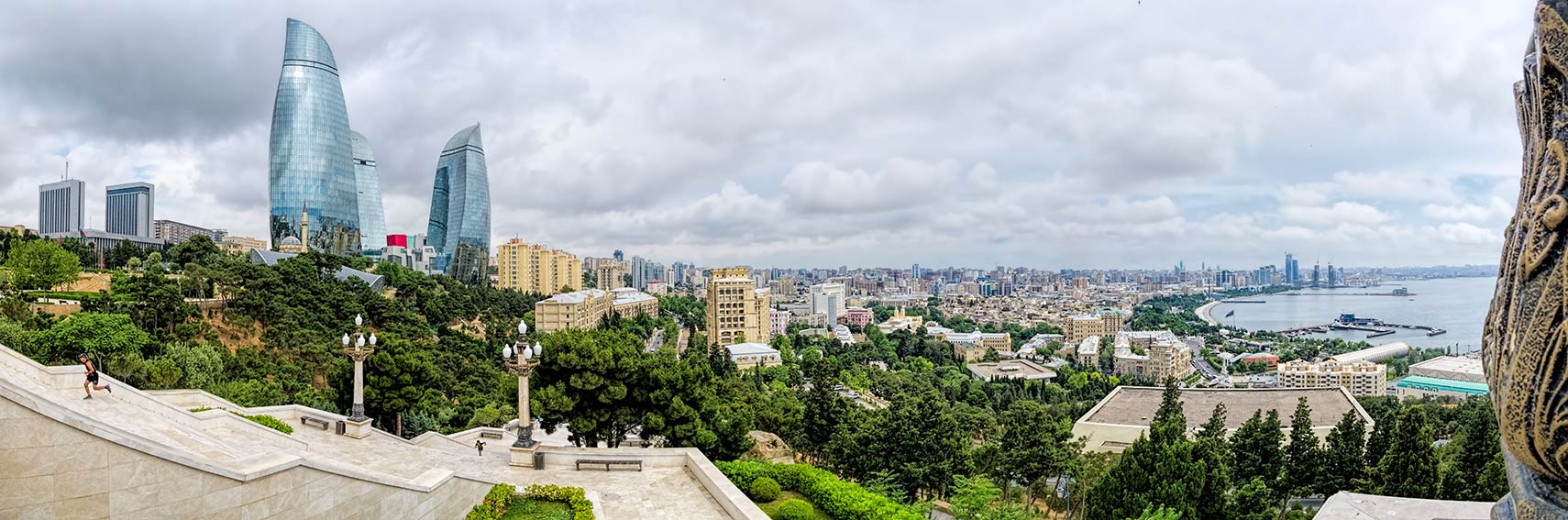 Panoramic view of Baku from Dağüstü Park, in far left the General Assembly (Milli Majlis), the impressive Flame Towers, the tallest skyscrapers in the city. Baku Bay to the right, a natural harbor with the Port of Baku and the local yacht club. Image: Dan Lundberg |
About Baku Satellite view is showing Baku, largest port, and the national capital of Azerbaijan, a former republic of the Soviet Union (1920-1991). Baku and its satellite cities Sumqayit and Khyrdalan are situated in central east of the country on a peninsula known as Absheron, that extends about 60 km (37 mi) eastward into the Caspian Sea, the largest enclosed inland body of water on Earth. Satellite view is showing Baku, largest port, and the national capital of Azerbaijan, a former republic of the Soviet Union (1920-1991). Baku and its satellite cities Sumqayit and Khyrdalan are situated in central east of the country on a peninsula known as Absheron, that extends about 60 km (37 mi) eastward into the Caspian Sea, the largest enclosed inland body of water on Earth. 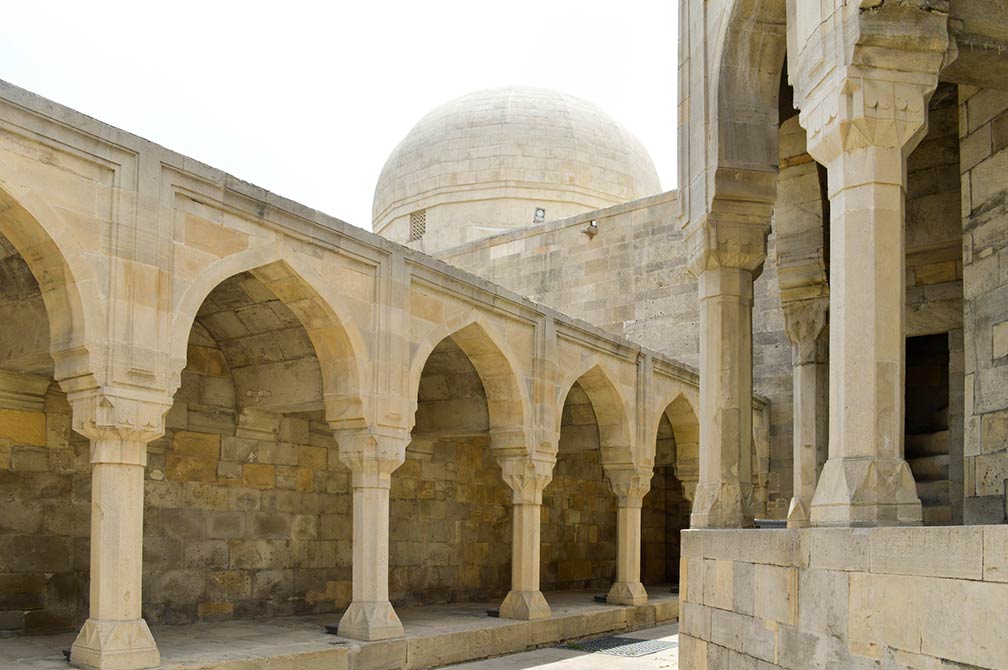 Soltan Shirvanshahs Palace, the 15th century complex contains the two-storey building of the palace, the Divanhane, a small stone pavilion, the burial-vaults, the shah's mosque with minaret, Seyid Yahya Bakuvi's mausoleum, Murad's gate, a portal in the east, a reservoir and the remnants of the bath house. Image: Francisco Anzola Baku is Azerbaijan's center of education, home to various universities and it is the center of the country's oil industry. The city is also an important tourist destination in the Caucasus. In recent years it was host to a variety of international events. The city was the one of the four Capitals of Islamic Culture  in 2009. In 2012 Baku was host to the 57th edition of the annual Eurovision Song Contest, held at the newly built Baku Crystal Hall. In 2015 Baku was the venue for the first European Games, an international multi-sport event. The 2016 European Grand Prix, a Formula One motor race was held in June 2016 at the Baku City Circuit. In 2017 the city is host to the 4th Islamic Solidarity Games, a multinational, multi-sport event held by the Islamic Solidarity Sports Federation (ISSF). in 2009. In 2012 Baku was host to the 57th edition of the annual Eurovision Song Contest, held at the newly built Baku Crystal Hall. In 2015 Baku was the venue for the first European Games, an international multi-sport event. The 2016 European Grand Prix, a Formula One motor race was held in June 2016 at the Baku City Circuit. In 2017 the city is host to the 4th Islamic Solidarity Games, a multinational, multi-sport event held by the Islamic Solidarity Sports Federation (ISSF).Baku points of interest: The Walled City of Baku with the Shirvanshah's Palace (former palace of the 15th century Shirvanshah dynasty) and the Maiden Tower (Giz Galasi tower a UNESCO World Heritage Site ); In 2003, UNESCO placed the Walled City of Baku with the Shirvanshah's Palace and Maiden Tower on the List of World Heritage in Danger, citing damage from a November 2000 earthquake, poor conservation as well as "dubious" restoration efforts. 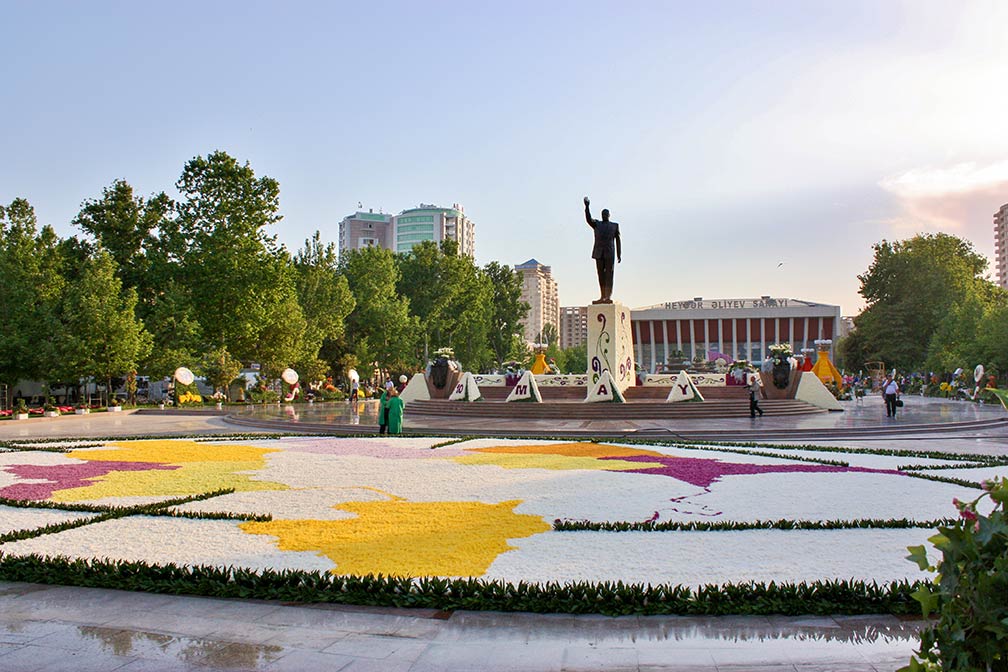 Flower Festival (2012) for the celebration of the birthday of Heydar Aliyev, leader of Soviet-era Azerbaijan (1969-1982), former President of the country (1993 to October 2003), and father of Ilham Aliyev, the incumbent president. Image: Frokor Baku Museum of Modern Art (www.moma.az) a modern art museum opened in 2009. Azerbaijan Carpet Museum (Azerbaijani carpets); Heydar Aliyev Center (conference and exhibition hall with a fluid architecture); Nizami Museum of Azerbaijani Literature (all you want to know about Azerbaijani literature and culture). Other entertainment spots are the One and Thousand Nights Beach, Shikhov Beach and Oil Rocks. The map shows a city map of Baku with expressways, main roads and streets, zoom out to find the location of Baku’s Heydar Aliyev International Airport (IATA code: GYD), about 20 km (12 mi) northeast of the city. To find a location use the form below. |
|
| To find a location type: street or place, city, optional: state, country. |
Local Time Baku:
Friday-April-26 07:56
Azerbaijan Time (AZT) UTC/GMT +4 |
|
φ Latitude, λ Longitude (of Map center; move the map to see coordinates): , |
||||||
| Google Maps:Searchable map/satellite view of Baku, Azerbaijan. City Coordinates: 40°23′43″N 49°52′56″E |
Bookmark/share this page
|
|||||
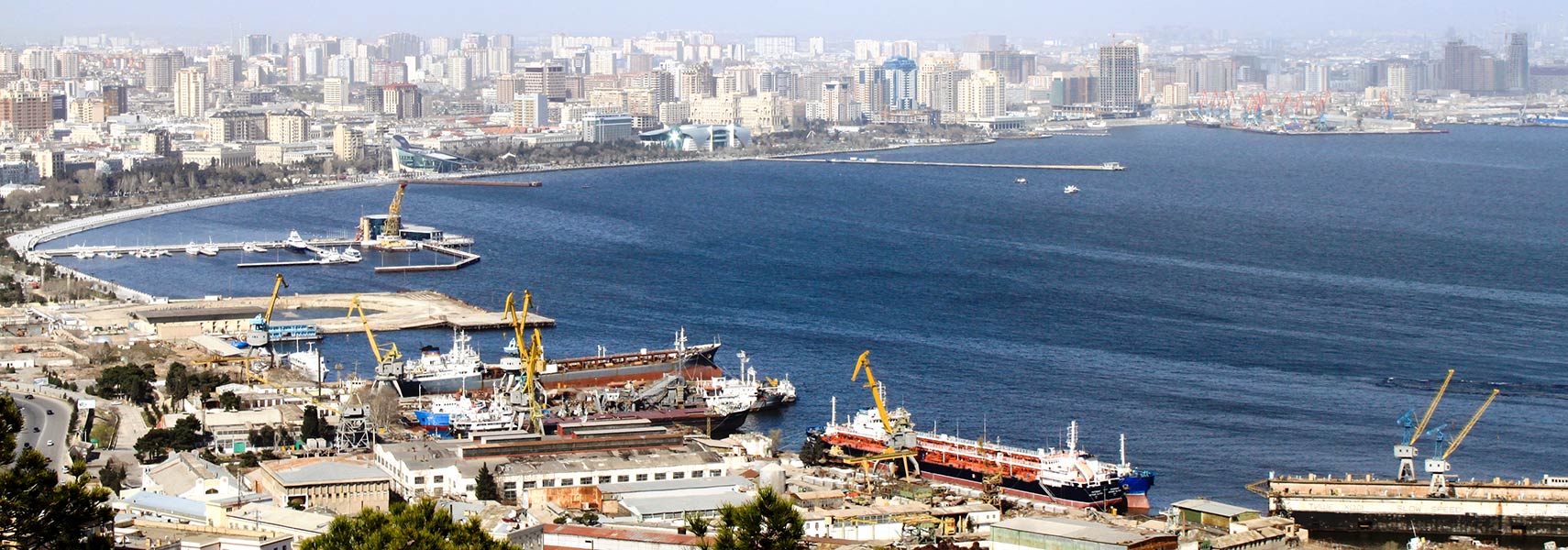 The Bay of Baku is a natural harbor on the southern shore of the Absheron Peninsula. Image: Gulustan |
||||||
| More about Azerbaijan: Country: Searchable map/satellite view of Azerbaijan Political Map of Azerbaijan Azerbaijan Country Profile Azerbaijan in FiguresAzerbaijan key statistical data. Continent: Map of the Caspian Sea Map of Central Asia and Caucasus region Asia MapExternal Links: Baku Official website of the city. Wikipedia: Baku |
Baku Weather Conditions
|
Related Consumer Information:
|
||||
Searchable Maps of other Cities in Western Asia and Middle East: Abu Dhabi | Amman | Ankara | Beirut | Damascus | Doha | Jerusalem | Kuwait (City) | Manama | Muscat | Nicosia | Riyadh | Sanaa | Yerevan Other Capital Cities in South-Central Asia: Almaty, Ashgabat, Astana, Bishkek, Colombo, Dhaka, Dushanbe, Islamabad, Kabul, Kathmandu, Male, New Delhi, Tashkent, Tehran, Thimphu |
||||||
Map Help [ show ] |
||||||
One World - Nations Online .:. let's care for this planet Promote that every nation assumes responsibility for our world. Nations Online Project is made to improve cross-cultural understanding and global awareness. More signal - less NOISE |
Site Map
| Information Sources | Disclaimer | Copyright © 1998-2023 :: nationsonline.org       |


