Nations Online
All Countries in the World
Nations Online All Countries in the World | |
 |
Home  Earth Continents
Africa
Kenya Country Profile
Google Earth Nairobi Map Earth Continents
Africa
Kenya Country Profile
Google Earth Nairobi Map  |
___ Satellite View and Map of the City of Nairobi, Kenya |
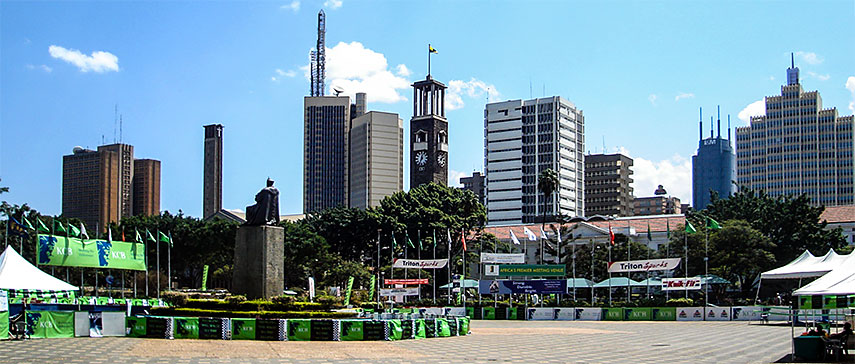 A view of Nairobi's Central Business District from the Kenyatta International Conference Centre. Image: Bobokine |
About Nairobi Satellite view is showing Nairobi, largest and most populous city, and the national capital of Kenya. The city is located at the Nairobi River
in the highlands, in the south-central part of the country. Nairobi lies on the central Kenyan plateau at an altitude of about 1,680 m (5,500 feet). Satellite view is showing Nairobi, largest and most populous city, and the national capital of Kenya. The city is located at the Nairobi River
in the highlands, in the south-central part of the country. Nairobi lies on the central Kenyan plateau at an altitude of about 1,680 m (5,500 feet). British colonists founded Nairobi in 1899 as a camp for laborers who were building the Mombasa–Lake Victoria–Uganda railroad line. Nairobi replaced Mombasa as capital of the British protectorate in 1905 and it became the seat of the British administration in 1907 and was the capital of Kenya Colony from 1920 to 1963 when Kenya became independent. The city has an estimated urban population of between 3 and 4 million inhabitants. Spoken languages are Swahili and English. Nairobi is the commercial and cultural center of Kenya. Since decades the city provides an attraction for rural Kenyan migrants in search of wage labor. Many of them live now in Kibera, the largest slum in Nairobi, many of the residents live in extreme poverty. Nairobi is home to Africa's 4th largest stock-exchange, the Nairobi Stock Exchange (NSE). Several major international companies and organizations have regional headquarters in the city. The University of Nairobi, the largest and oldest university in Kenya and Kenyatta University, second largest institution in Kenya are located in or near the city. The map shows a city map of Nairobi with expressways, main roads and streets, zoom out to find the location of Jomo Kenyatta International Airport (IATA code: NBO), about 17 km (10.5 mi) by road (via Mombasa Road/A 104) east of Nairobi's Central Business District. To find a location use the form below. ; |
|
| To find a location type: street or place, city, optional: state, country. |
Local Time Nairobi:
Thursday-April-18 08:01
UTC/GMT +3 hours |
One World - Nations Online .:. let's care for this planet Promote that every nation assumes responsibility for our world. Nations Online Project is made to improve cross-cultural understanding and global awareness. More signal - less NOISE |
Site Map
| Information Sources | Disclaimer | Copyright © 1998-2023 :: nationsonline.org       |